Copy user settings |


|
Copy user settings |
|
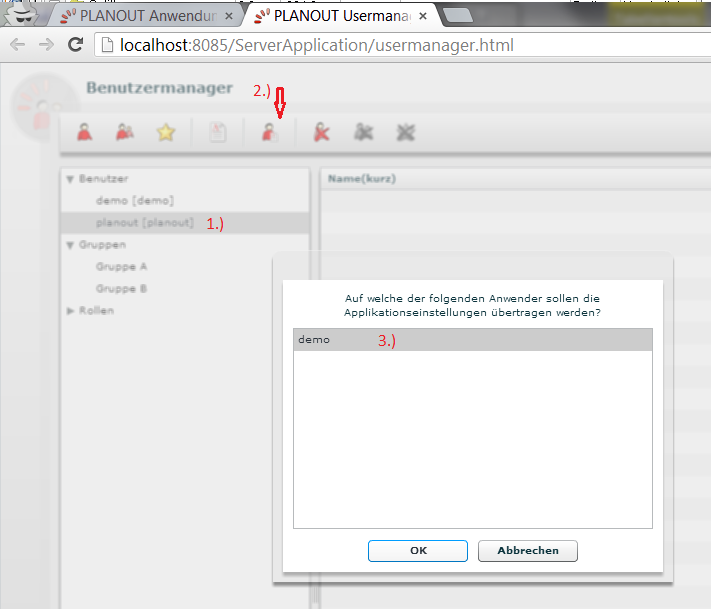
To copy user setting, defined in the planning tool, from one user to other, follow this steps.
1.Select the source user.
2.Activate the feature by click the symbole in the toolbar.
3.Select all user, you want to to copy the settings.
4.Press OK.